
287 tables. 109 Eloquent models. Millions of new GPS position rows every month. That is the production fleet platform our team maintains, and MySQL database optimization is the only reason it answers a dashboard query in milliseconds instead of timing out. It tracks hundreds of vehicles live, runs geofences, scores driver behavior, reconciles fuel, and spits out operational reports — all from a firehose of data that never pauses.
It did not start at 287 tables. It started at one: vehicles. Everything after that was added because a real requirement forced it, and a few of those additions were mistakes we later had to undo in production. This article is the honest version of how a MySQL database gets to that size and stays fast — the decisions that worked, the ones that didn't, and the rules we now apply without arguing about them.
Part of our Fleet Management Software guide. The 287-table schema referenced here sits inside a production fleet platform. Read the pillar for the full 2026 framework — evaluation, GPS protocol decoding, integration, and build-vs-buy economics.
Schema Design is Architecture: The Foundation of Database Performance Tuning
Most developers treat database schema design as a preliminary step — something you sketch on a whiteboard before writing "real" code. That's backwards. Your schema is your architecture. Every table, column, relationship, and constraint encodes a business decision that will shape every query, every feature, and every performance bottleneck for years to come.
Normalization vs. Denormalization
The textbook answer is to normalize everything to third normal form and denormalize only when performance demands it. The production answer is more nuanced.
In our fleet management system, vehicle information lives in a normalized structure: vehicles, vehicle_types, vehicle_groups, vehicle_maintenance_records, vehicle_documents. Each entity represents a distinct concept. A vehicle belongs to a group. A group belongs to an organization. Maintenance records reference specific vehicles. This normalization prevents data anomalies and keeps updates consistent.
But GPS position data tells a different story. When a tracker sends a position update, we store the raw packet data alongside the parsed position. We denormalize certain vehicle attributes (like the vehicle name and plate number) directly into the position record. Why? Because querying the last known position of 500 vehicles should not require 500 joins. When you're rendering a live map for an operations manager who needs answers in under a second, that denormalization isn't a shortcut — it's a requirement.
Junction Tables and Domain Complexity
Our system has dozens of junction tables: vehicle_geofence, user_vehicle_group, alert_rule_vehicle, driver_vehicle_assignment. Each one represents a many-to-many relationship that exists because the business domain requires it. A vehicle can be in multiple geofences. A user can access multiple vehicle groups. An alert rule can apply to multiple vehicles.
The lesson: 287 tables isn't "too many" when the domain requires it. A GPS fleet management system with organizations, sub-organizations, vehicles, drivers, geofences, alerts, maintenance, fuel, reports, users, roles, permissions, devices, SIM cards, protocols, and configurations genuinely needs that many entities. Trying to simplify the schema by cramming multiple concepts into fewer tables creates worse problems than having more tables — you end up with nullable columns that should be foreign keys, type-discriminator columns that make queries brittle, and data integrity issues that surface at 3 AM.
When to Split, When to Combine
We split tables when entities have different lifecycles or access patterns. A vehicle's static configuration (plate number, model, year) changes rarely. Its real-time state (last position, speed, ignition status) changes every few seconds. Storing both in one table means every position update locks a row that configuration reads also need. Splitting them into vehicles and vehicle_states eliminated that contention.
We combine tables when the overhead of a join outweighs the benefit of separation. Early on, we had separate tables for device_settings and device_parameters — the distinction was theoretical, and every query needed both. Merging them simplified the codebase and cut query count.
Indexing Strategy: Composite Indexes for Production MySQL
A well-designed schema with poor indexing will perform worse than a messy schema with good indexes. Indexing is where theoretical database design meets production reality, and it's one of the highest-leverage parts of any MySQL database optimization effort.
Composite Indexes for Time-Series Queries
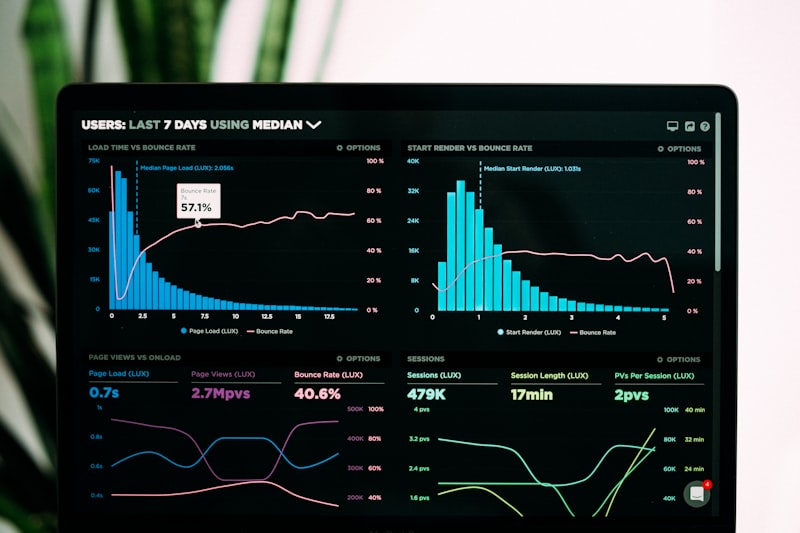
The most impactful optimization in our entire system was a composite index on (device_id, timestamp) for the positions table. Before this index, querying a single vehicle's positions for one day — a query that runs thousands of times daily — took over 3 seconds when the table had tens of millions of rows. After adding the composite index, that same query returned in under 30 milliseconds.
The order of columns in a composite index matters enormously. (device_id, timestamp) supports both "get all positions for device X" and "get positions for device X between time A and time B." The reverse order, (timestamp, device_id), would efficiently answer "get all positions at time T" but would struggle with device-specific queries — which are 90% of our workload.
Covering Indexes
A covering index includes all columns that a query needs, so MySQL can satisfy the query entirely from the index without touching the actual table data. For our most frequent dashboard query — fetching the last position, speed, and ignition status for each vehicle — we created an index that covers exactly those columns. The query never reads the data pages at all. This matters when your positions table is tens of gigabytes.
When Indexes Hurt
Every index has a write cost. Each INSERT into the positions table must update every index on that table. When we had seven indexes on the positions table (added incrementally by different developers over time), insert performance degraded noticeably during peak hours when hundreds of devices reported simultaneously.
We audited all indexes using SHOW INDEX and cross-referenced them against actual query patterns from the slow query log. Three of the seven indexes were never used by any production query. Dropping them improved insert throughput by roughly 20% with zero impact on read performance.
The rule: index for your actual queries, not for hypothetical ones. Review indexes quarterly. Unused indexes are pure cost.
Query Optimization: EXPLAIN Plans and Eloquent N+1 Pitfalls
Laravel's Eloquent ORM makes database interactions elegant. It also makes it dangerously easy to write queries that look clean in code but execute terribly in production. We talk more about Laravel's strengths in this comparison of Laravel vs Node.js vs .NET.
The N+1 Problem
The most common Eloquent performance issue is the N+1 query. Load a list of 50 vehicles, then access each vehicle's group in a loop: that's 1 query for the vehicles plus 50 queries for the groups. With Eloquent, this looks innocent — $vehicle->group->name — because the ORM handles the lazy loading transparently. But transparently doesn't mean efficiently.
We enforce eager loading through code review and automated detection. Every controller that loads collections uses with() to specify related models upfront:
$vehicles = Vehicle::with(['group', 'lastPosition', 'device'])
    ->where('organization_id', $orgId)
    ->get();
One query for vehicles, one for groups, one for positions, one for devices — four queries instead of 151. The difference at scale is the difference between a page that loads in 200 milliseconds and one that times out.
Query Scoping
Eloquent scopes let you encapsulate common query constraints. We define scopes for multi-tenancy (scopeForOrganization), soft deletes (scopeActive), and time ranges (scopeRecent). These ensure that every query respects tenant boundaries — a non-negotiable requirement in a multi-organization system — without relying on developers to remember the WHERE clause every time.
When to Use Raw SQL
Eloquent handles 90% of our queries. The other 10% — complex reporting queries with multiple aggregations, subqueries, and conditional groupings — are written in raw SQL. A monthly fuel consumption report that joins positions, fuel records, vehicle configurations, and organization settings across millions of rows benefits from hand-tuned SQL that the ORM simply can't generate optimally.
We use EXPLAIN plans religiously for any query that touches large tables. If MySQL's EXPLAIN output shows a full table scan on a million-row table, that query doesn't ship until it's fixed. EXPLAIN output is part of our pull request review for any database-touching code.
Caching Layers: Redis as the First Line of Database Performance Tuning
A database query you don't execute is infinitely faster than one you optimize. Redis caching is our first line of defense against unnecessary database load.
Redis as the Caching Backbone
Our system uses Redis for three distinct purposes, each with different TTL strategies and invalidation rules.
Session storage. User sessions live in Redis instead of the database. This eliminates a database query on every authenticated request. With hundreds of concurrent dashboard users, that adds up fast.
Query caching. Expensive queries that don't change frequently — organization settings, vehicle configurations, geofence definitions — are cached in Redis with TTLs ranging from 5 minutes to 1 hour. The cache key includes the organization ID and a version hash, so changes invalidate only the affected tenant's cache.
Real-time pub/sub. When a new position arrives from a GPS device, the processing server publishes it to a Redis channel. The WebSocket server subscribes to that channel and pushes the update to connected dashboard clients. Redis sits between the data processor and the delivery layer, decoupling them completely.
Cache Invalidation Strategies
Caching is the easy part. Knowing when a cached value has gone stale is the part that generates the 11 PM pages. We use three invalidation strategies, and which one applies depends entirely on how much staleness the data can tolerate:
Time-based expiry for data where slight staleness is acceptable — dashboard statistics, report summaries, vehicle lists. A 60-second TTL means the cache refreshes naturally without explicit invalidation logic.
Event-driven invalidation for data where consistency matters — when a vehicle's configuration changes, a model observer fires that deletes the relevant cache keys. This adds complexity but ensures dashboards reflect reality.
Versioned keys for data that changes in coordinated batches — when an organization updates its geofences, we increment a version counter in Redis. All geofence cache keys include this version, so old cache entries become unreachable instantly without the overhead of deleting them individually.
What Not to Cache
We learned the hard way that caching real-time position data causes more problems than it solves. Positions update every few seconds per vehicle, making cache hit rates low and invalidation overhead high. For positions, the dual-database architecture (discussed next) was a better solution than caching.
Dual-Database Architecture: Scaling MySQL Production for Time-Series Data
This was the single biggest architectural decision in the system's history, and the one that most directly enabled scaling MySQL production workloads to billions of rows. The same architecture powers the IoT fleet management software we built for our largest client.
The Problem with One Database
A GPS fleet management system has two fundamentally different data workloads. The first is transactional: user management, vehicle configuration, geofence setup, alert rules, organizational hierarchy. This data changes through user actions and benefits from ACID transactions, foreign key constraints, and normalized schema design.
The second is time-series: GPS positions arriving from hundreds of devices every few seconds, each carrying latitude, longitude, speed, heading, altitude, satellite count, and dozens of optional parameters. This data is append-only, rarely updated, queried primarily by device and time range, and grows by millions of rows per month.
Putting both workloads in one MySQL instance created a resource conflict. Position inserts competed with dashboard reads for InnoDB buffer pool space. Long-running report queries locked rows that real-time inserts needed. Backup operations on the massive positions table slowed everything else.
The Solution: Separate What's Different
We split the system into two databases. The application database handles all transactional data — users, organizations, vehicles, configurations, alerts. It stays relatively small (under 10 GB), responds quickly to complex joins, and backs up in minutes.
The tracking database handles position data exclusively. It's optimized for high-throughput inserts and time-range queries. It uses partitioning by month, so queries for recent data never scan historical partitions. Old partitions can be archived or dropped without affecting the application database. It grows to hundreds of gigabytes without impacting application performance.
The Laravel application connects to both databases using separate connection configurations. Models specify which connection they use, and cross-database queries (when necessary) use explicit connection references. The separation is clean at the code level and transformative at the performance level.
Partition Strategy
The tracking database uses MySQL range partitioning on the timestamp column, with one partition per month. This means a query for "positions of device X in the last 24 hours" only scans the current month's partition — not the entire multi-billion-row table. When a month's data is no longer needed for active queries, we archive the partition to cold storage and drop it from the live database. The table stays fast because it only holds the data that matters for current operations.
Migration Discipline
Our system has 287 migrations. Each one represents a moment in the system's evolution — a new feature, a performance fix, a schema correction, a business requirement change. Together, they form a complete history of how the database grew from a single vehicles table to the complex schema it is today.
Every Schema Change as a Migration
We never modify production schemas directly. Every change — adding a column, creating an index, modifying a constraint, creating a table — goes through a Laravel migration. This ensures that every environment (development, staging, production) can reproduce the exact same schema by running migrations sequentially. It also provides a rollback path for every change.
Migration Naming and Organization
With 287 migrations, naming conventions matter. Every migration filename includes the date and a descriptive action: 2025_08_14_create_vehicle_geofence_assignments_table, 2026_01_22_add_composite_index_to_positions. Vague names like update_vehicles_table are rejected in code review — when you're scanning through hundreds of migrations to find when a column was added, descriptive names save hours.
Rollback Strategies
Every migration has a down() method that reverses its changes. But in practice, rolling back migrations in production is a last resort. You can't un-add data to a column you're dropping. You can't un-migrate rows that were transformed.
Our approach: if a migration causes issues in production, we write a new forward migration that fixes the problem rather than rolling back. This preserves data integrity and keeps the migration history moving in one direction. The down() methods exist for development and testing environments where data loss is acceptable.
Testing Migrations
Before any migration runs in production, it runs against a copy of the production schema loaded with representative data volumes. A migration that adds an index to a table with 100 rows takes milliseconds. The same migration on a table with 50 million rows can lock the table for minutes. We test with production-scale data to catch these surprises before they cause downtime.
For large tables, we use online schema change tools that apply modifications without locking the table. The migration wraps the tool invocation rather than using Laravel's standard schema builder, which would issue a blocking ALTER TABLE.
The Ongoing Discipline
Database optimization isn't a project with a completion date. It's an ongoing engineering discipline that requires constant attention, measurement, and iteration. Every new feature potentially changes query patterns. Every growth milestone potentially invalidates assumptions about data volume.
We monitor slow queries weekly. We review index usage monthly. We analyze table growth quarterly. We revisit the fundamental architecture annually. This discipline — more than any single optimization — is what separates systems that scale from systems that crash at the worst possible moment.
Here is the opinion we will defend in any architecture review: a high table count is not the problem people think it is. 287 tables that each model one real thing, with the right indexes and clean foreign keys, will outperform 40 tables stuffed with nullable columns and type-discriminator flags every single time. The number that should scare you is not the count of tables. It is the count of queries running full scans, the count of indexes nobody can justify, and the count of schema changes that happened outside a migration.
So don't fear the table count. Fear the absence of strategy. Model with intention, index against the queries you actually run, cache only what tolerates staleness, and treat every migration as a one-way door. Do that for a few years and the database stops being the thing that wakes you up.
For more on how we architect systems at this scale, explore our featured engineering projects or our custom software engineering services. The thinking underneath all of it is in our piece on software engineering best practices.

Discussion
Sign in to join the discussion