Nex Mobile POS — Mobile shop management software for Pakistan
IMEI stock, one-tap sales, used-phone buying, khata and day closing for mobile phone shops, on a PC or an Android phone.
Nex Mobile POS is mobile shop management software for Pakistani phone shops that sell new and used phones and accessories. Phones are stocked by IMEI with PTA, Non-PTA or JV status, a cash sale completes in one tap with the receipt shared on WhatsApp, used phones are bought with a seller slip, and the owner closes each day against counted cash. Salesmen sell without ever seeing cost or profit.
For owners of mobile phone shops in Pakistan who sell new and used phones and accessories, buy used phones over the counter, keep customer khata and want salesmen at the counter without exposing cost and profit.
Built-in reports
350
Payment methods
50
Phone brands
250
Phone models
1,300+0+
User roles
20
Live demo
See a live shop running
A live Nex Mobile POS shop runs at nexmobstore.nexgenix.com.pk, on the same software every shop gets on its own installation. Open it in Chrome on a PC or a phone and walk through stock, selling, khata and day closing yourself.
Demo access is shared on WhatsApp: message us on +92 332 6204287 and we send it to you.
IMEI check-digit validation and duplicate detection stop typing mistakes and double entries at the counter. Each phone carries its condition, grade, PTA status and battery health, ageing badges flag stock at 30, 60 and 90 days, and Ctrl K finds any phone by its full IMEI or last four digits.
02
A sale in one tap, the receipt on WhatsApp
Phones sit under company chips: type the agreed price and Complete sale · Cash posts it. Discounts, per-item warranty, the sales channel, a trade-in and split payments across Cash, Bank, JazzCash, Easypaisa and Card are one step away, and the receipt link is one tap from WhatsApp.
03
The cash drawer matches the books every night
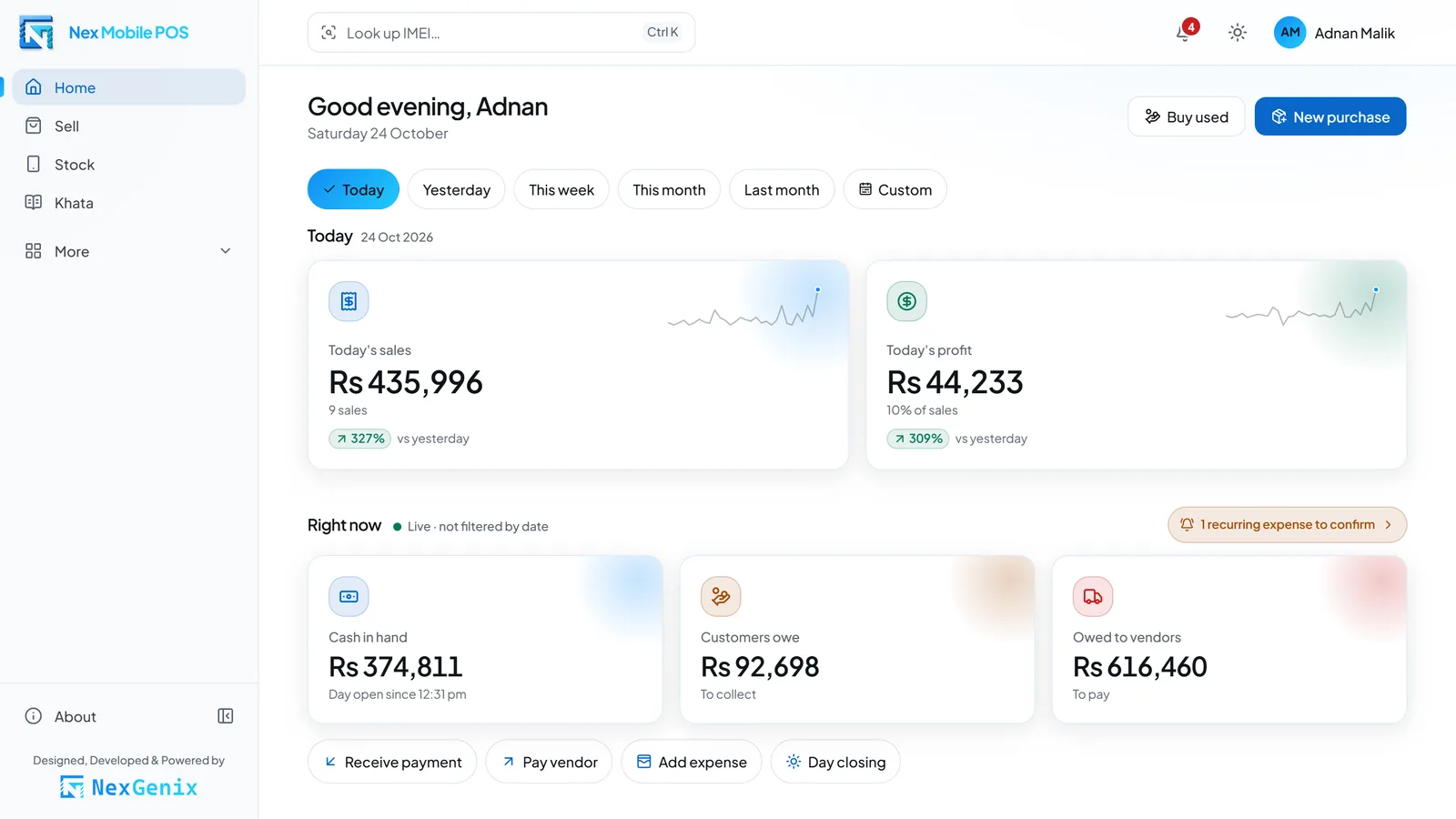
Each day opens with the last count and shows the cash that should be in the drawer as sales, payments and expenses happen. At closing you count the cash, the day is recorded as Short, Over or Exact, the summary is one tap from WhatsApp, and the owner gets a push alert.
04
Owners see the margins, salesmen see the counter
The server never sends cost, profit, average cost or vendor balances to a salesman, and a salesman sees only their own sales. Every change lands in the activity log with before and after values, and documents are voided, never deleted.
Product tour
See how it works, screen by screen
Each step is a real screen from the product, shown on a desktop and on a phone.
01
Phone stock you can filter in seconds
The stock list shows every phone with its model, storage, condition, PTA status and days in stock. Filter by brand, model, grade, PTA status or age, and ageing badges show which phones have waited 30, 60 or 90 days.
Filters for brand, model, condition, grade, PTA and age
Ageing badges at 30, 60 and 90 days
Accessories counted by quantity in their own tab
02
Each phone with its full IMEI history
The phone page holds IMEI 1 and IMEI 2, variant, colour, condition, grade, PTA status, battery health and what came in the box. Photos and a short video sit with it, and the timeline records every purchase, sale, return and adjustment against that IMEI.
Check digit and duplicates tested on entry
Photos plus a video of up to 30 seconds
Only the owner can edit or delete stock
03
Sell a phone in one tap
Phones in stock appear under company chips, so the salesman taps the brand, picks the phone and types the agreed price. Complete sale · Cash posts it in one tap, with discounts, warranty, the sales channel, a trade-in and other payment methods one step away.
Cash, Bank, JazzCash, Easypaisa, Card, split or khata
Warranty per item: none, 3, 7, 15 or 30 days by default
Take the customer’s old phone in trade within the same sale
04
Receipts that arrive on WhatsApp
Every sale produces a receipt link and an A5 PDF with the items, warranty, payment and, for khata customers, their balance. One tap opens WhatsApp with the link ready to send, and on Android the PDF itself can be shared.
Public receipt link plus an A5 PDF
Sent through a WhatsApp link: one tap, never automatic
Unguessable link that never shows your cost
05
Buy a used phone on one screen
Pick the model and type the price you paid: that is all the screen requires. Add the IMEI, seller name, mobile number and CNIC when you have them, then send the seller a slip link on WhatsApp with the CNIC masked.
Only the model and price are required
Seller CNIC and mobile recorded when available
Slip and slip link with the CNIC masked
06
Khata for customers and vendors
Every customer and vendor has a ledger with a running balance, fed by sales, purchases, returns and vouchers. The credit-due list puts the biggest balances first, with a WhatsApp reminder and an A4 statement PDF one tap away.
Receive and pay vouchers
Credit-due list, biggest balance first
WhatsApp reminders and an A4 statement PDF
07
Close the day against counted cash
The day opens with the last closing count, and the cash expected in the drawer updates with every sale, payment and expense. At closing you count the notes, the day is marked Short, Over or Exact, and the summary is one tap from WhatsApp.
Expected cash, live all day
Short, Over or Exact on every closing
Day history and a push summary for the owner
08
35 reports, each in PDF and Excel
Reports are grouped as Sales (9), Purchases (4), Profit (3), Stock (6), Money (6) and Insights (7), each with a date range and a PDF and Excel export. Owners open all 35; a salesman opens only My sales, with no cost or profit.
Sales 9 · Purchases 4 · Profit 3
Stock 6 · Money 6 · Insights 7
Every report exports to PDF and Excel
09
Vendor purchases, paid any way
Record phones by IMEI and accessories by quantity from a vendor in one purchase. Pay in full, split across methods, partly or on credit, and the unpaid part lands in the vendor’s khata; returns and voids keep the stock and the ledger straight.
Phones by IMEI, accessories by quantity
Full, split, partial or credit payment
Purchase returns and voids, never deletions
Modules
Phone stock by IMEI
IMEI 1 and IMEI 2 with check-digit validation and duplicate detection, condition, grade, PTA / Non-PTA / JV status, battery health, photos and a video of up to 30 seconds, ageing badges and the full IMEI history.
Accessories
Chargers, cables, covers and the rest stocked by quantity at weighted-average cost, with low-stock flags, editable categories and stock adjustments that always carry a reason.
Phone catalog and Excel import
25 brands and 1,300+ models picked as company, model and storage, plus opening stock and balances imported from an Excel template with an error preview and duplicate-file protection.
Point of sale
Company chips, the price typed at the sale, one-tap cash sales, discounts, per-item warranty, the sales channel (Walk-in, OLX, Facebook, WhatsApp, Referral) and trade-in of the customer’s old phone.
Billing, payments and returns
Cash, Bank, JazzCash, Easypaisa and Card, split payments or credit to khata. Each sale gets a receipt link and an A5 PDF sent through a WhatsApp link; returns refund the customer or credit their khata.
Used-phone buying
One screen: the model and price are required; the IMEI, seller name, mobile number and CNIC are optional. Each buy gets a slip and a slip link, with the CNIC masked, ready to send on WhatsApp.
Vendor purchases
Phones by IMEI and accessories by quantity from vendors, paid in full, split, partly or on credit, with purchase returns and voids.
Khata ledgers
Customer and vendor ledgers with a running balance, receive and pay vouchers, an A4 statement PDF, a credit-due list and WhatsApp reminders.
Day closing and expenses
The day opens with the last count, expected cash updates live and the closing count is recorded as Short, Over or Exact. Expenses post by category; monthly recurring bills wait for the owner to confirm.
Share this phone
A 1080×1350 image card of any phone in stock plus ready-to-paste ad text for OLX and Facebook. Neither shows your cost.
Dashboard, reports and alerts
A home dashboard with a date filter, trends, charts and top models; 35 reports exported to PDF and Excel; push alerts for the day-closed summary and a 10:00 morning digest.
Roles, users and activity log
Owner and Salesman roles enforced on the server, more owners when you need them, an activity log with before and after values, My profile, and light or dark mode.
Screenshots
Inside the product
Accessories stocked by quantity with weighted-average cost and low-stock flagsSales list with the payment method, channel and salesman on every invoiceExpenses by category, with monthly recurring bills waiting for the owner to confirmOpening stock import from the Excel template, with an error preview before anything is savedActivity log showing who changed what, with before and after valuesGlobal IMEI lookup by the full IMEI or its last four digitsPhone catalog of 25 brands and 1,300+ models, picked as company, model and storageUsers screen with the Owner and Salesman rolesHome dashboard in dark mode with sales trends, charts and top models
On a phone
Made for the phone in your hand
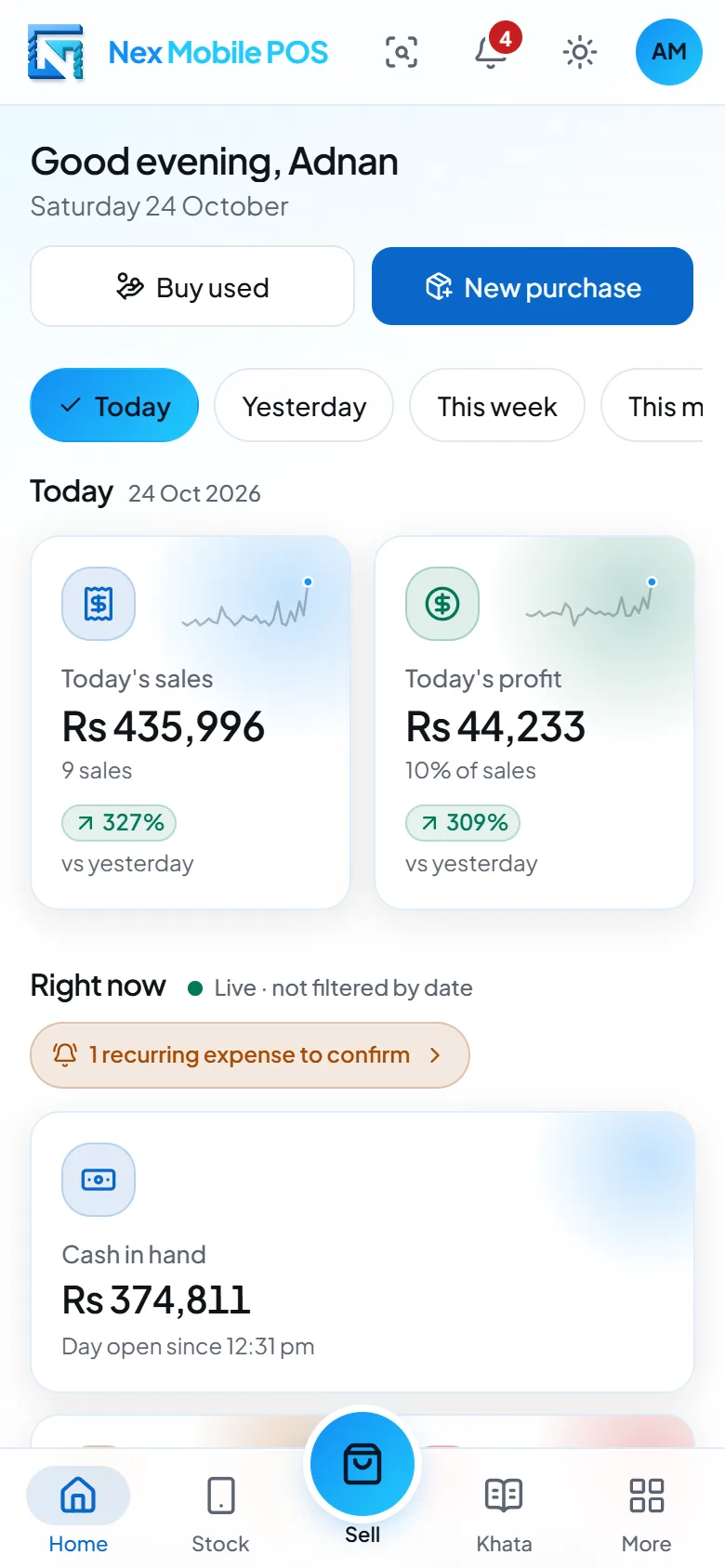
The same screens, laid out for a small screen and one-handed use.
The More menu on a phone, one tap from every part of the shop
Share this phone: a 1080×1350 image card and ready-to-paste OLX and Facebook ad text
Owner alerts centre with the day-closed summary and the morning digest
Sales list on a phone screen
Shop expenses recorded from a phone
Accessories stock on a phone, with low-stock flags
Downloads
Keep the details with you or pass them to your team.
Nex Mobile POS brochure
A two-page overview of what Nex Mobile POS does for a mobile phone shop and how a shop gets set up.
Each shop runs on its own installation at its own subdomain (yourshop.nexgenix.com.pk) with its own database. Our team sets it up and keeps it running.
One installation and one database per shop
Set up and maintained by NexGenix
Nightly database backup on the server
Updates from the team that builds the software
Your shop’s brand
Your shop’s name and logo appear inside the app, on receipts and slips, and in the Android app built for your shop. The “Designed, Developed & Powered by NexGenix” credit stays.
Shop name and logo inside the app
Receipts and slips with your shop’s logo
An Android app with your shop’s name and icon
Compatibility
Nex Mobile POS runs in the browser, so the counter PC, a laptop and the owner’s phone all open the same shop. The interface is in English; the User Guide is in English and Urdu.
Chrome or any modern browser on a PC, laptop or phone
Installable from Chrome as an app, with New sale, Scan IMEI, Stock and Day shortcuts
Android app installed from a downloaded APK file, not from Google Play
Camera scanning of IMEI numbers and barcodes over HTTPS
Opening stock and balances from an Excel template
Every report exported to PDF and Excel
Receipts, slips and reminders sent through WhatsApp links
Tell us your city and how many phones you keep in stock, and we reply with a written quote — request pricing.
Frequently asked questions
Yes. Each phone is stocked with IMEI 1 and IMEI 2, condition, grade, battery health and a PTA-approved, Non-PTA or JV status. A wrong check digit or a duplicate IMEI is stopped before saving, and the IMEI history shows every purchase, sale and return. A phone without an IMEI can still be saved.