PDP Punjab success story
Both systems in one PDF: the program, what we took over, what we re-engineered and how the systems run today. Ready to attach to a tender or evaluation file.
- English
- 4 pages · 1.5 MB

PMIS is the public works contract and payment management system of the Punjab Development Program (PDP): the digital billing portal that takes each civil-works contract from award to payment for the Program Management Unit (PMU). Contracts carry a four-level Bill of Quantities (BOQ). Contractors bill through interim payment certificates (IPCs) that pass an 11-step approval route, the server computes nine deduction types, and approved bills go straight to the province’s Financial Management System. NexGenix has re-engineered and operated PMIS on the Government of Punjab’s own server since July 2026.
The original platform was developed by Technology Hive (TechHive). NexGenix took it over in July 2026, migrated it to the Government of Punjab’s own server, and has re-engineered and operated it since.
 Program Management Unit (PMU), Punjab Development Program — LG&CD Department, Government of Punjab
As of November 2026. The IPC route shown is the PMU’s current version; one accounts step follows final approval.
The Punjab Development Program builds its sewerage, storm-water drainage, disposal stations, pavements and street lighting through contracts with private firms in 52 cities. Each contract carries a priced Bill of Quantities (BOQ). Each month the contractor bills for the work done so far through an interim payment certificate (IPC), and that figure has to be measured on site, checked by the supervising engineers, reviewed inside the Program Management Unit (PMU) and audited before the province pays it.
Every step of that chain is a place where a payment can go wrong: a quantity billed before it was measured, a deduction missed, a desk skipped, a figure changed after approval. A public works contract and payment management system exists to make those mistakes impossible rather than merely unlikely, and to show afterwards who decided what, and when.
PMIS is that system for the PDP. It runs on the Government of Punjab’s own server as the Program’s digital billing portal, used by contractors, consultants, PMU officers, audit, accounts and the Program Director.
PMIS was already in production when NexGenix took it over in July 2026. The original platform, developed by Technology Hive (TechHive), had the right building blocks: contracts, BOQs and IPCs. The Program had moved on around it. Officers needed to see exactly their own region, division, district or city. The PMU’s own list of desks and roles had changed. And approved bills had no live path into the province’s Financial Management System (FMS).
Measurement sheets were still prepared on paper in the consultant’s own layout, separate from the bill they supported.
A payment system for public money cannot be taken offline for a rebuild. Bills were moving through it and contractors were waiting on them, so every change had to land on a live system without disturbing a payment already in progress.
We began with an audit of the inherited code and database, then moved PMIS onto the Department’s own server on the Government of Punjab network in late July 2026, under the same Department domain as the monitoring dashboard.
The first release after the move rebuilt the foundations the PMU asked for. A geography hierarchy now runs from region to division, district and city, so each user’s scope can be set at any of five levels. Access rights moved out of the compiled front end and into the database, so a role or a single user can be changed without a redeploy. Role names were separated from the keys the approval engine uses, so renaming a post can never silently reroute a payment. That release passed 221 QA checks with zero failures, and a 114-page system documentation and user manual followed in August.
The BOQ now runs four levels below each contract: component, section, priced line item and sub-item. Amounts are entered only at line level and roll up automatically, an importer reads BOQ spreadsheets into the right heads, and the BOQ locks once the contract is published. Contracts pass a review route from Procurement, through optional Contracts and Legal reviewers, to the General Manager, who can publish only once a valid, bank-verified performance guarantee is on file.
Contractors raise check requests with several measurement entries per item (number, length, width and height, added or deducted), which an inspector measures and the Resident Engineer approves. An IPC can bill only quantities that have passed that check. The net payable is then computed on the server through a lettered ladder of nine deduction types: withholding, mobilisation-advance recovery, PRA sales tax, retention, income tax, PST, ADC fee, penalty and discount. Only desks with the “enter deductions” permission can change one.
Every IPC follows the PMU’s approval route: 11 desks from the contractor, through the consultant’s Resident Engineer and Team Lead, the Sub Engineer, MOI and Assistant Program Director, to the Chief Quantity Surveyor, Regional Engineer, Deputy Program Director, Manager Audit and the Program Director’s final approval, then one accounts step after approval. Since 24 October 2026 that route, and the routes for mobilisation advances, variation orders, check requests and contract review, are data the PMU edits on a Workflows screen. Each record stays on the route version it started on, a send-back returns to whoever sent it, and the server refuses a forward to a desk with nobody in post.
The audit trail has four layers. Decisions are written in the same database transaction as the change they record. Every API request is logged for a year, and secrets are never written. A data-change log, written by database triggers, keeps old and new values and flags any change made outside the application. Every night a SHA-256 hash chain seals the logs, so an edited entry breaks the chain. Records are snapshotted before they are deleted, and a post-holder register shows who held each desk on each date.
The FMS integration went live on 13 October 2026 and has sent invoices automatically on the Program Director’s final approval since 21 October. PMIS checks each bill and its contractor against FMS before sending. Network failures are retried and a refusal never is, a duplicate is recognised and recorded, and the IPC locks once FMS accepts it. Every attempt is stored with its full request and response, and finance and IT are alerted if one fails.
Certificates, measurement sheets and reports come out as print-ready A4 PDFs, and the Measurement Sheet reproduces the consultant’s familiar paper layout from the digital entries. Officers sign with an e-signature stored in their profile, and printed check requests, IPCs, variation orders and measurement sheets carry a QR code that opens a public page confirming the document is authentic.
As of November 2026 PMIS is an Angular 16 front end with 74 components over a Node.js, Express and Sequelize API with 45 data models, about 268 API routes and 70+ MySQL 8 tables. The codebase has grown from about 87,000 lines at handover to about 219,000. On 19 October 2026 every screen was redesigned in the Government of Punjab’s green design system, and contractors outside the PMU now see a bill only as “With PMU” while it is under internal review.
The portal serves 28 assignable roles, from contractors and inspectors to the Program Director, each limited to its own region, division, district or city.
NexGenix operates PMIS as a live service. Each change is an item on a release register, approved on its own, backed by 65 automated smoke and unit test scripts, rehearsed with a dry run and deployed only after a server backup; 45+ live releases have shipped since July 2026. The in-app PDP AI Agent, part of the original platform, answers questions about contracts, BOQs and IPCs in English or Urdu over a read-only connection, and follows the same PMU privacy rules as the screens.
For the PMU, every IPC now traces back to a measured quantity, a computed deduction, a named desk and a sealed log entry.
The PMU’s current route: 11 desks to final approval, then one accounts step. Every review desk can send a bill back, and the PMU can change the route on the Workflows screen.
Raises the IPC against measured, approved quantities.
Reviews the quantities, can enter deductions and issues Certificate A.
Reviews as “the Engineer” and can enter deductions.
Checks the quantities and issues Certificate B.
Reviews the bill and issues Certificate C.
Reviews the bill and issues Certificate D.
First desk inside the PMU; can enter deductions.
Engineering review inside the PMU.
Senior PMU review before audit.
Audit review; can enter deductions.
Final approval. The invoice goes to the Financial Management System automatically.
After approval, the accounts desk takes the approved IPC forward.
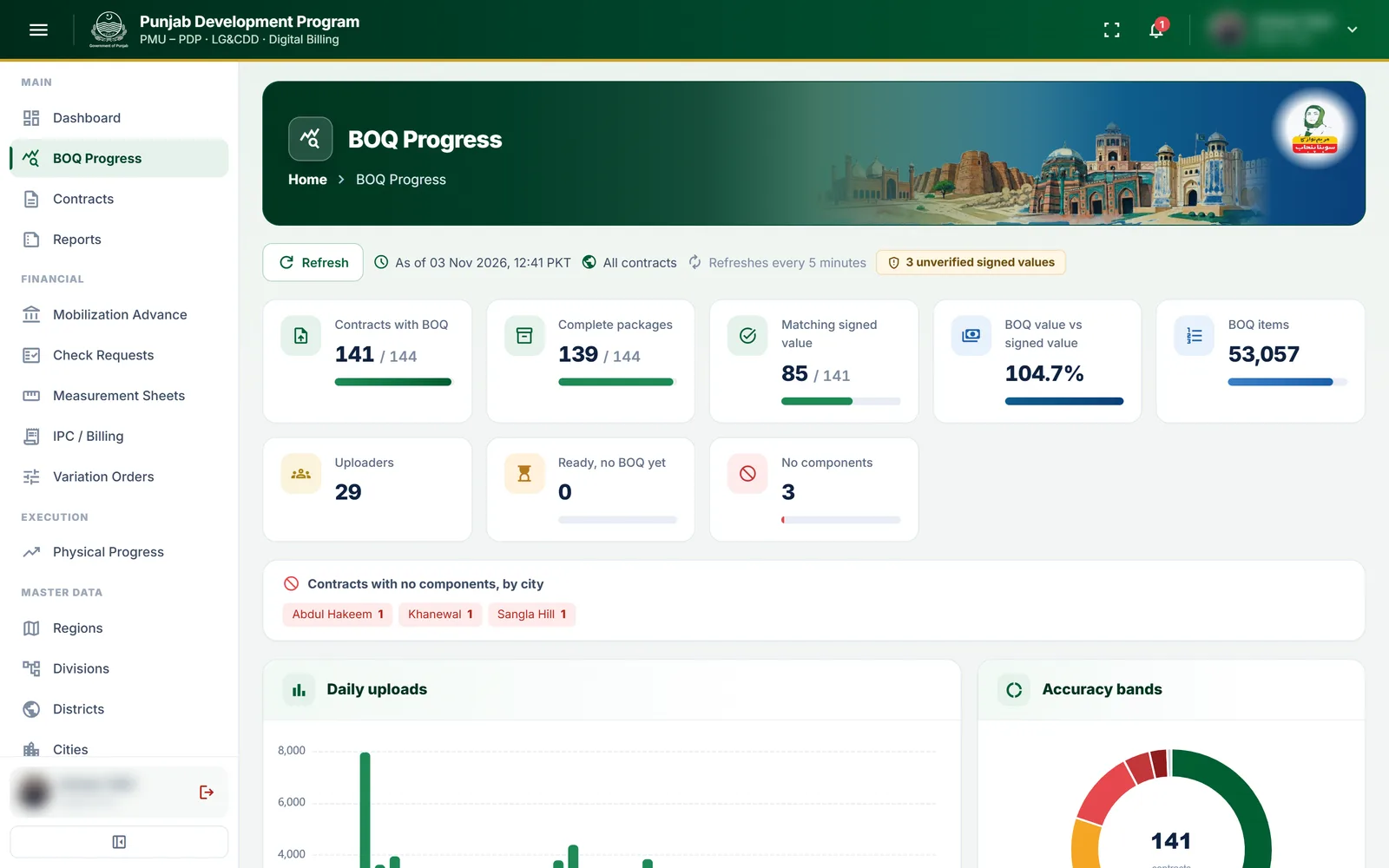
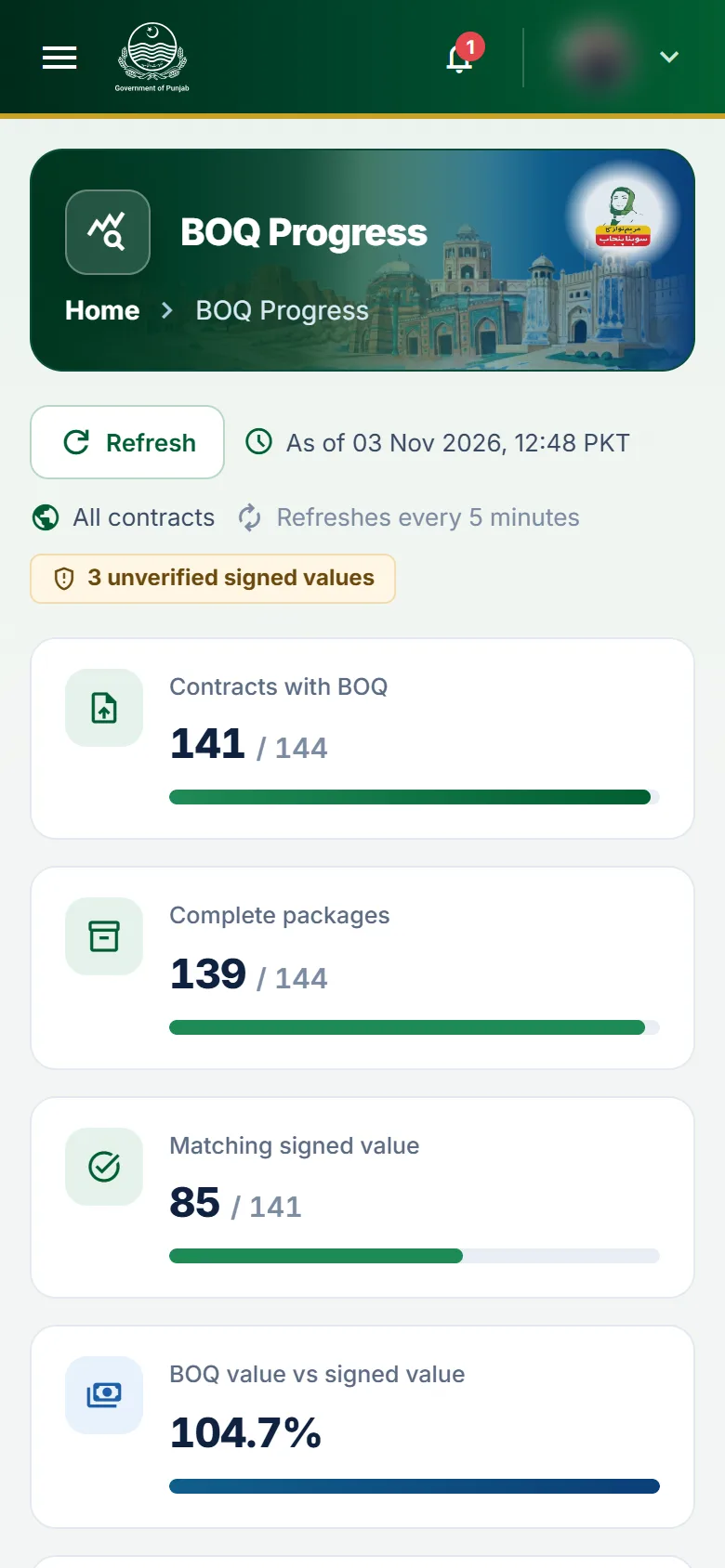
A live check across the portfolio: how many contracts have a BOQ, how many packages are complete, whether each BOQ’s value matches the signed contract value, and how many BOQ items are loaded. Daily uploads and accuracy bands show where a BOQ is over, under or still missing.
Each interim payment certificate opens on its 12-step workflow tracker (the 11 approval desks and the accounts step after approval), with the full preview PDF, the measurement sheets, the financial summary and deductions, and the BOQ line items being billed.
The Workflows screen shows the route in use today, desk by desk: who sits at each desk, how many users hold it, and what each desk may do, from changing quantities to sending back or entering deductions. Changes are drafted, checked and published as a new version.
Each contract has one workspace: its signed documents, financial summary, review stepper, Bill of Quantities by component, section, line and sub-item, schedule, performance guarantee and history. A bid discount or premium is set at contract level and flows through to every IPC.
Auditors filter every event by category, action, outcome, severity and record. Separate tabs show sign-ins and requests, before-and-after data changes, who held each post and when, and the integrity of the sealed logs.
Part of the original platform, the PDP AI Agent answers plain-language questions about contracts, BOQs, IPCs and progress, such as which contracts are active or which guarantees expire soon. It reads through a read-only connection and applies the same PMU privacy rules as the screens.
NexGenix takes over the live portal originally developed by Technology Hive and audits its code and database.
PMIS moves onto the Department’s server on the Government of Punjab network.
Geography from region to city and access rights in the database, with 221 QA checks passed. A 114-page system manual follows.
The contract review route, BOQ sub-items and the four-layer audit trail with nightly SHA-256 sealing go live.
The province’s Financial Management System accepts its first invoice from PMIS. Automatic sending follows on 21 October.
PMIS is restyled screen by screen in the Government of Punjab’s green design system.
Approval routes for five modules become versioned data the PMU edits itself.
Releases continue as single approved items, each deployed after a backup.
Tell us how your department tracks progress or pays contractors today. We reply with a short written plan for your situation, not a sales sequence.
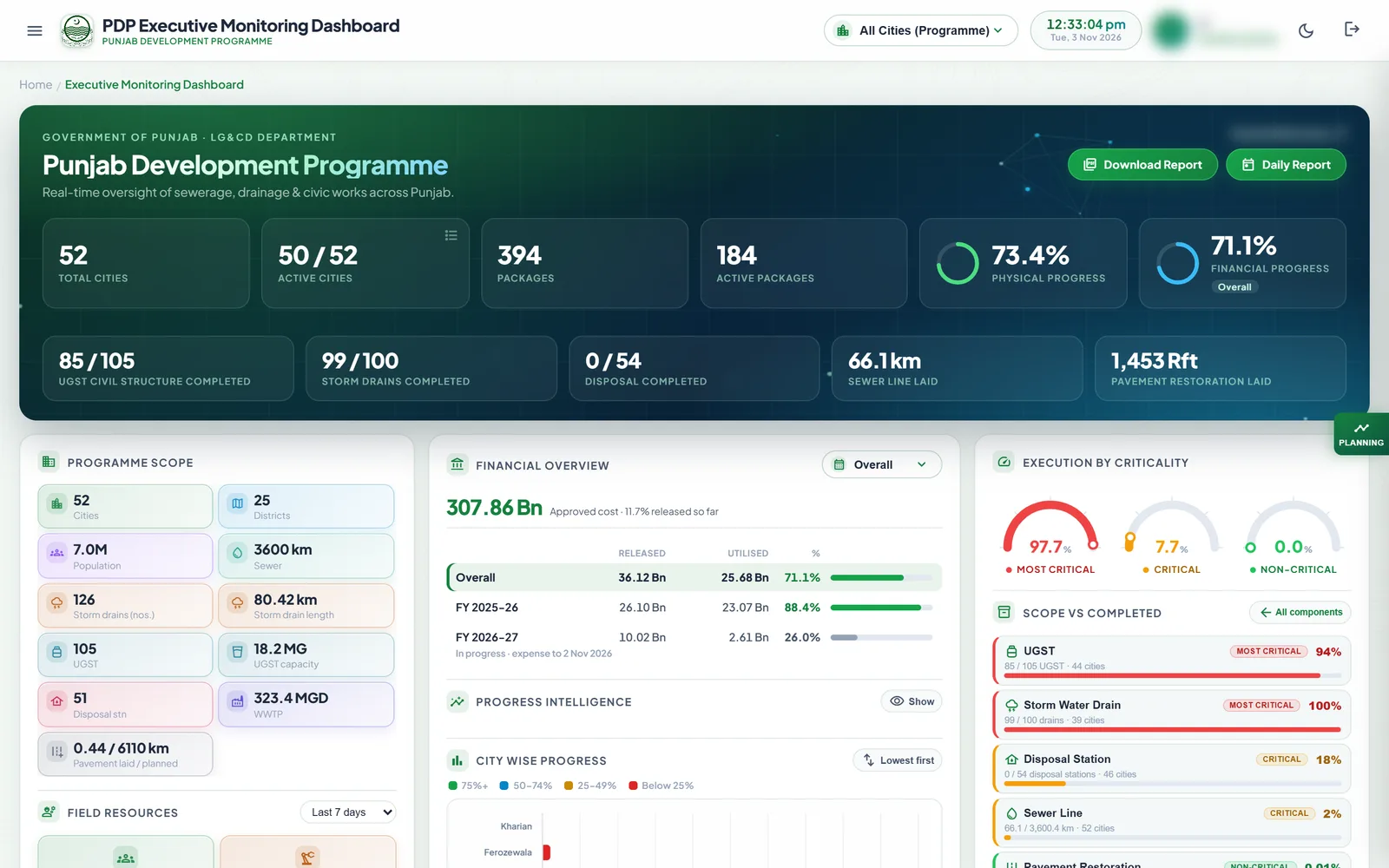
The same PMU tracks what has actually been built through the PDP Executive Monitoring Dashboard, the development project monitoring system we took over alongside PMIS. Where PMIS decides what a contractor is owed, the Dashboard shows weighted, photo-backed progress for all 52 cities.
Both systems in one PDF: the program, what we took over, what we re-engineered and how the systems run today. Ready to attach to a tender or evaluation file.
Questions departments and PMUs ask about PMIS, the PDP contract and payment management system.
An IPC is the periodic bill a contractor submits for work completed so far, priced against the contract’s Bill of Quantities. Once the measured quantities are verified and the deductions applied, the approved IPC certifies what is owed for that period. In PMIS each IPC bills only measured, approved quantities.
The PMU’s current route has 11 desks: the contractor, the consultant’s Resident Engineer and Team Lead, the Sub Engineer, MOI, the Assistant Program Director, the Chief Quantity Surveyor, the Regional Engineer, the Deputy Program Director, Manager Audit and the Program Director, followed by one accounts step after approval.
Nine types, computed on the server in a lettered ladder: withholding, mobilisation-advance recovery, PRA sales tax, retention, income tax, PST, ADC fee, penalty and discount. A contract-level bid discount or premium is applied as well. Only desks with the “enter deductions” permission can change a deduction.
Four levels below each contract: component, section, priced line item and sub-item. Amounts are entered only at line level and roll up automatically to the contract total. BOQs are imported from spreadsheets and lock once the contract is published, so billed quantities cannot drift from the signed scope.
Yes. Since 13 October 2026 PMIS has sent approved IPCs to the province’s Financial Management System (FMS), automatically on the Program Director’s final approval since 21 October. Network failures are retried, refusals are not, duplicates are recognised, and every attempt is stored with its full request and response.
It has four layers: decisions written with the change they record, a log of every API request, a database-level log of old and new values, and a nightly SHA-256 hash chain that seals the logs. An edited entry breaks the chain, so tampering shows up when the logs are verified.
Yes. Since 24 October 2026 the routes for IPCs, mobilisation advances, variation orders, check requests and contract review are versioned data on a Workflows screen. Authorised users add, move or remove desks and publish a new version, while records already in progress stay on the version they started on.
Technology Hive (TechHive) developed the original platform. NexGenix took it over in July 2026, migrated it to the Government of Punjab’s own server and has operated it since, rebuilding the BOQ engine and deduction ladder and adding editable workflows, the audit trail, the FMS integration and the October 2026 redesign.
Let's discuss how NexGenix can engineer your next solution.